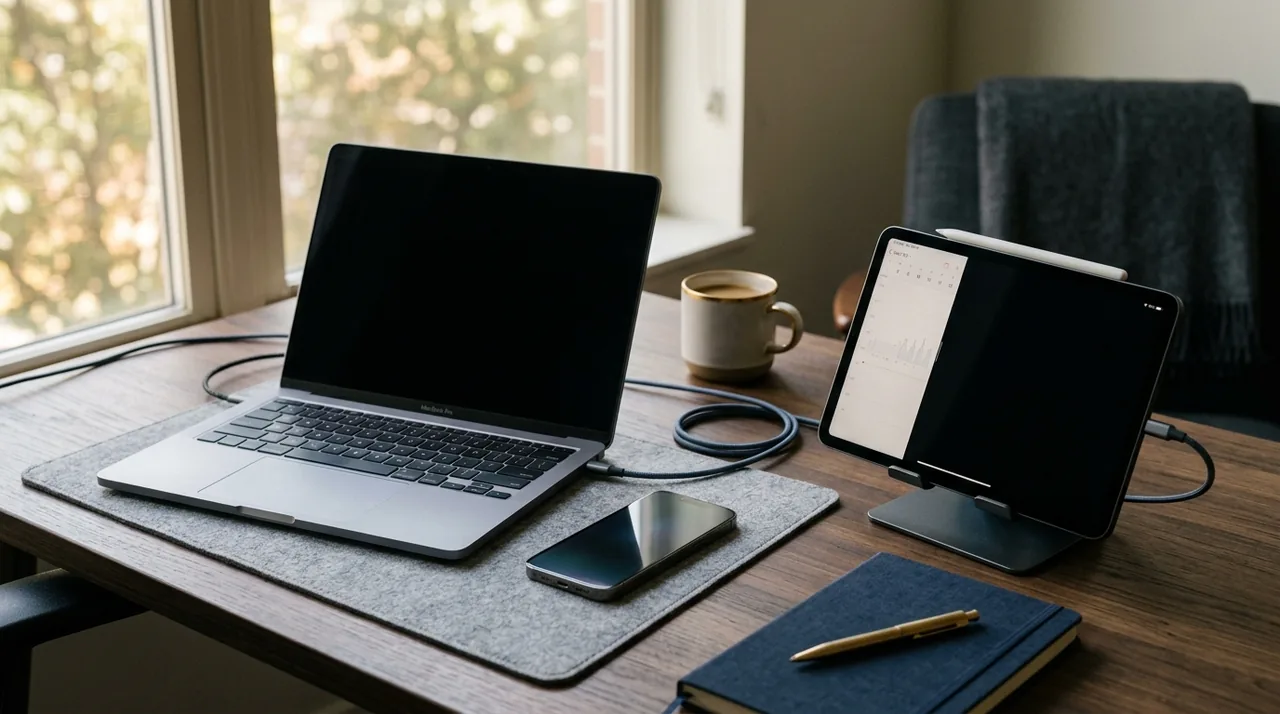
Not every task requires high-end equipment. Learn when to opt for a smartphone, when a tablet is sufficient, and when a laptop is necessary, along with which specifications are truly worth splurging on.
Prioritize needs over specifications
A common mistake in buying is comparing numbers alone, such as gigabytes of RAM, processor speed, or camera resolution, without considering your own work habits. For online learning, document editing, video calls, and browsing materials, premium-grade hardware is unnecessary. What you need is a stable device that receives updates and is comfortable for daily use.
A straightforward rule is effective: buy a device that suits your most demanding tasks regularly, not just occasionally. If you edit videos once every three months, you don’t need to splurge on a pricey video-editing laptop immediately. However, if you routinely juggle multiple browser tabs, spreadsheets, messaging apps, and office applications, then RAM, a comfortable keyboard, and ample storage will take precedence over trendy aesthetics.
- A smartphone is well-suited when mobility, communication, quick notes, and on-the-go apps are your top priorities.
- A tablet is perfect for reading, taking handwritten notes, presentations, and light hybrid work.
- A laptop is still the best choice for multitasking, writing, file management, and longer study sessions.
When a smartphone suffices, and when it doesn't
Today, smartphones are central to daily productivity. They manage your email, messaging apps, calendar, cloud storage, document scanning tools, and video conferencing platforms. If your work mainly involves staying connected, approving simple tasks, receiving messages, and occasionally editing files, a good smartphone might be all you need.
To avoid overspending, focus on four key factors: how long the device will receive updates, battery life, screen quality, and storage capacity. In terms of cybersecurity, updates are crucial. Google emphasizes the importance of regular security patches in its Android Enterprise documentation, while Apple’s Platform Security Guide highlights how system updates enhance data protection and device integrity. Therefore, it’s wiser to invest in a mid-range model from a manufacturer that offers extended support rather than a more powerful device lacking reliable updates.
For most users, a sensible minimum is 6 GB of RAM and 128 GB of storage. If you capture many photos, download materials for offline study, and install various apps, aim for 256 GB. An OLED display or a good IPS panel will enhance reading comfort, but the highest refresh rate is not always necessary for work. In daily tasks, factors like screen brightness, visibility in sunlight, and system stability often take precedence.
However, a smartphone does have limitations. Writing longer texts, working across multiple windows, and advanced spreadsheet editing become cumbersome on it. If you frequently create documents or participate in lengthy online training sessions, relying solely on a phone may quickly become impractical.
Tablet—the perfect compromise for notes and mobility
For years, tablets were seen as intermediary devices, but today they have very specific purposes. They excel in learning, reading PDFs, taking handwritten notes with a stylus, browsing training materials, and performing light fieldwork. For students, salespeople, trainers, and hybrid workers, a tablet often proves more practical than a laptop, especially for those on the move.
For a tablet to be economically viable, it should replace at least some of the tasks typically handled by a computer, rather than merely serving as a large screen for consuming content. Therefore, it's worth checking whether it supports a keyboard, stylus, split-screen functionality, and file syncing with cloud services. For work and study, note-taking apps, PDF annotation tools, and task managers are particularly beneficial.
You don't need to purchase the most expensive model right away. In many cases, a mid-range tablet with a 10 to 11-inch screen, 8 GB of RAM, and 128 GB of storage will suffice. If you plan to store materials locally for the long term, consider opting for 256 GB. Pay attention to the USB-C port, microphone quality, and front camera, as these factors influence the comfort of online learning.
A tablet also has its limitations. Even with a keyboard, it doesn’t always provide as comfortable a workflow as a laptop. Some professional applications only function in simplified versions. So, before making a purchase, verify whether the software you use daily offers full functionality on the operating system you are considering.
Laptop—the best option for regular work
If you are writing, analyzing data, working across multiple tabs, managing files, and spending several hours a day in front of a screen, a laptop remains the best option. It is the most versatile technology for both work and study. It provides a full keyboard, a larger screen, convenient file management, and better support for professional tools.
Contrary to popular belief, you don't need to purchase an expensive model. For office work, online classes, browsing, and productivity suites, a modern mid-range processor, 16 GB of RAM, and a 512 GB SSD are usually sufficient. This setup offers much more comfort than a laptop with a powerful processor but only 8 GB of RAM. In practice, memory and a fast drive often dictate how smooth your experience is more than the marketing name of the chip.
It's worthwhile to seek out devices with a matte screen, a good keyboard, and a battery that allows for several hours of actual work. For remote learning and video calls, the quality of the camera, microphones, and stable Wi-Fi are also important. While tech trends like AI-focused chips may benefit specific use cases, for most users in 2026, they aren't worth paying a huge premium.
How to avoid overspending: the specifications that really matter
If you want to make wise purchases, filter out the marketing noise. Below are the key elements that genuinely affect usability.
- Updates and manufacturer support. This is the cornerstone of security and prolonged device life.
- RAM. For comfortable work, it's better to have a little extra. In a laptop, 16 GB is the safe standard today; for smartphones and tablets, aim for above the absolute minimum.
- Storage. An SSD in a laptop and at least 128 GB in mobile devices can significantly reduce frustration.
- Display. Brightness, readability, and comfort are crucial—not just the resolution.
- Battery and charging. A portable device should last through an entire day of work or classes.
- Ports and connectivity. USB-C, Wi-Fi, Bluetooth, and on a laptop, the ability to connect a monitor.
Also consider what you don't need. If you aren't gaming or video editing, don't overpay for a dedicated graphics card. If you mainly work with documents and browse the internet, a 4K display in a mobile-class laptop often doesn’t provide proportional benefits. It’s better to invest that budget in a more comfortable keyboard, better battery life, and longer system support.
Cybersecurity: expensive gear won't replace good habits
Even the best technology won't protect you on its own. According to NIST and CISA, crucial aspects include simple practices: updates, strong unique passwords, a password manager, multi-factor authentication, and vigilance against phishing. This is especially important if you're using a single device for both work and study.
On new hardware, set up screen lock, encryption, backups, and MFA as soon as possible. Keep your apps organized as well. Install only the programs you truly need, and manage permissions for the microphone, camera, and location. This is an essential aspect of responsible cybersecurity—beyond just convenience.
You will also find useful tools and resources on Ezostylia. If you wish to enhance your digital skills, visit the technology catalog. For organizing files and documents on a daily basis, the scanner might also be useful, and if you're interested in solutions related to access protection and privacy, check out quantum keys.
Digital hygiene: hardware should help, not overwhelm
Digital hygiene isn’t just a trend; it’s a practice that facilitates focus and reduces chaos. In publications on digital education, the OECD emphasizes that merely having technology doesn’t improve outcomes unless paired with good work habits and sensible tool usage. In practice, this means that even an excellent laptop won't be effective if you're overwhelmed by notifications and a plethora of unnecessary apps.
It's beneficial to establish focus modes, limit alerts, organize your desktop, and create a straightforward file storage system. If you're studying or working from home, also set time boundaries for screen usage. Digital hygiene begins with small choices, such as disabling automatic distractions and using a trusted ecosystem of apps for notes, tasks, and cloud storage.
A well-chosen device can support these habits. A smartphone that's too small for extended work can promote chaotic behavior. A tablet without a keyboard can hinder content creation. A laptop with poor battery life can be frustrating when away from your desk. That’s why selecting the right hardware is also an investment in your digital hygiene.
Simple buying scenarios
If you're still unsure about what to choose, consider three typical user profiles.
School or university student. Most often, a lightweight laptop with 16 GB of RAM and a 512 GB SSD is the best choice. If you take many handwritten notes, a tablet with a stylus and keyboard is an alternative, but only if the required apps function fully.
Office or remote worker. A laptop will generally be the most cost-effective option. The smartphone serves a supporting role for communication, authorization, and working on the go.
Highly mobile person. If you primarily read, reply, and present materials, a tablet or larger smartphone may suffice. However, when regular writing and file work become necessary, a laptop often proves to be the more sensible choice.
It's also wise to keep up with tech news, but without feeling pressured to immediately replace your device. The optimal time to buy is often not the launch date, but rather a few months later, when prices have stabilized and early user reviews unveil the true strengths and weaknesses of the model.
Summary
If you're looking to buy a device for work and study without overspending, don't kick off your search with advertising or rankings. Start with your tasks. A smartphone excels in mobility, a tablet in note-taking and content consumption, and a laptop in versatility and ergonomics. The best technology isn't necessarily the most expensive one—it's the one that aligns with your work rhythm, supports cybersecurity, and helps you maintain digital hygiene every day.
This material is educational and does not replace individual consultation with an IT specialist or purchasing advisor if you have unique professional requirements.
Sources
NIST, Cybersecurity for Electronic Devices, 2023, https://www.nist.gov
NIST, Digital Identity Guidelines, Password Guidelines SP 800-63B, 2020, https://pages.nist.gov/800-63-3/sp800-63b.html
CISA, Secure Our World, 2023, https://www.cisa.gov/secure-our-world
Google Android Enterprise, Android Security Overview, 2024, https://androidenterprise.google
Apple, Platform Security Guide, 2024, https://support.apple.com/guide/security/welcome/web
OECD, Digital Education Outlook, 2023, https://www.oecd.org
FAQ
Is a tablet sufficient for online learning?
Yes, but mainly when your classes focus on reading materials, notes, and video meetings. If you often write longer texts or work with numerous files, a laptop is generally more comfortable.
What should you never compromise on when buying a laptop?
Typically, it’s RAM, SSD storage, keyboard quality, and update support. These elements significantly impact comfort and security.
Is a more expensive smartphone always more secure?
Not necessarily. Security is largely influenced by updates, system settings, two-factor authentication, and your habits. A cheaper model with good support can be a better option than a pricier one lacking reliable patches.
Which apps are essential to have at the beginning?
The fundamental set includes a password manager, a note-taking app, cloud backup storage, a messenger for work, and a document scanning tool. After that, add apps for specific tasks rather than just in case.