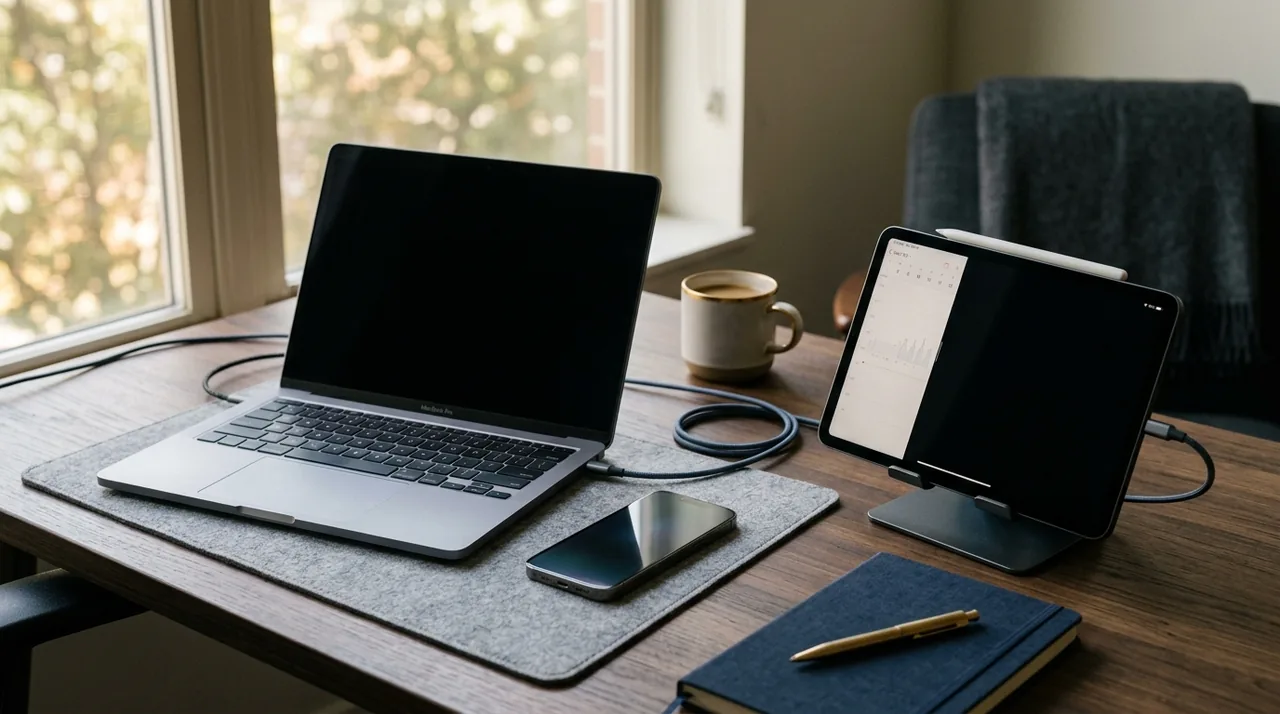
Not every task requires expensive equipment. Find out when to choose a smartphone, when a tablet, and when a laptop, and which features are truly worth saving on.
Needs first, specifications later.
The most common mistake when purchasing is comparing mere numbers like gigabytes of RAM, processor frequency, or camera resolution, without relating them to your own work style. In reality, for online learning, document editing, video calls, and browsing materials, you don’t need premium-class equipment. What you need is stable hardware, supported by updates, and comfortable for everyday use.
A simple rule works well: buy a device for the most demanding task you regularly perform, not one you do occasionally. If you edit video once every three months, you don’t need to invest in an expensive video editing laptop right away. However, if you work daily with many browser tabs, spreadsheets, messaging apps, and office applications, then RAM, a comfortable keyboard, and ample storage will matter more than trendy design.
- A smartphone works well when mobility, communication, quick notes, and on-the-go apps are essential.
- A tablet is suitable for reading, handwritten notes, presentations, and light hybrid work.
- A laptop remains the best choice for multitasking, writing, file work, and longer study sessions.
When a smartphone is enough, and when it isn't.
Today, a smartphone serves as the hub of daily productivity. You can have your email, messaging apps, calendar, cloud storage, document scanning apps, and video conferencing platforms all in one place. If your work mainly involves contact, approving simple tasks, receiving messages, and occasional file editing, a good smartphone may be sufficient.
To avoid overspending, focus on four key factors: the length of update support, battery life, screen quality, and memory capacity. In the context of cybersecurity, updates are crucial. Google emphasizes the importance of regular security patches in its Android Enterprise documentation, while Apple describes how system updates support data protection and device integrity in its Platform Security Guide. Therefore, it's better to purchase a mid-range model from a manufacturer that offers longer support than a more powerful device lacking reliable updates.
For most users, a reasonable minimum is 6 GB of RAM and 128 GB of storage. If you take many photos, download materials for offline study, and install numerous apps, aim for 256 GB. An OLED screen or a good IPS panel will improve reading comfort, but the highest refresh rate is not always necessary for work. For everyday tasks, brightness, readability in sunlight, and system stability often matter more.
However, smartphones have their limitations. Writing longer texts, working in multiple windows, and advanced spreadsheet editing can be less convenient. If you frequently create documents or attend long online training sessions, a phone may quickly prove too small.
Tablet, the golden mean for notes and mobility.
For years, tablets were seen as intermediate devices, but today they have very specific applications. They are excellent for learning, reading PDFs, taking notes with a stylus, browsing training materials, and conducting light fieldwork. For students, salespeople, trainers, and those working in hybrid models, tablets can be more practical than laptops, especially if you move around a lot.
For a tablet to make economic sense, it should replace at least some tasks of a computer and not just serve as a large screen for consuming content. It's worth checking if it supports a keyboard, stylus, split-screen view, and file synchronization with cloud services. Notetaking, PDF annotation, and task management applications are particularly useful for work and study.
You don't need to choose the most expensive model right away. In many scenarios, a mid-range tablet with a 10- to 11-inch screen, 8 GB of RAM, and 128 GB of storage is sufficient. If you plan to store materials locally for a long time, opt for 256 GB. Pay attention to the USB-C port, the quality of microphones, and the front camera, as they affect the comfort of online learning.
Tablets also have limitations. Even with a keyboard, they don't always provide as convenient a workflow as laptops. Some professional applications run in simplified versions. So before purchasing, check if the software you use daily has full functionality on the selected system.
Laptop, the best choice for regular work.
If you write, analyze data, work on multiple tabs, manage files, and spend several hours a day in front of the screen, a laptop is still the winner. It’s the most versatile technology for work and learning. It provides a full keyboard, a larger screen, convenient file management, and better support for professional tools.
Contrary to popular belief, you don't necessarily have to buy an expensive model. For office work, online classes, browsing, and office suites, a modern mid-range processor, 16 GB of RAM, and a 512 GB SSD are typically sufficient. This setup offers much greater comfort than a laptop with a powerful processor but only 8 GB of RAM. In practice, it’s the RAM and fast storage that often determine the smoothness of work more than the marketing name of the chipset.
It's worth looking for devices with a matte screen, a good keyboard, and a battery that allows for at least several hours of real work. For remote learning and video meetings, a good camera, microphones, and stable Wi-Fi are also important. Technological innovations, such as AI task units, may be useful in certain applications, but for most users in 2026, they are still not a reason to pay extra.
How to avoid overspending: the parameters that really matter
If you want to make a wise purchase, filter out marketing. Below you will find elements that genuinely affect user comfort.
- Updates and manufacturer support. This is the foundation of safety and longer hardware lifespan.
- RAM. For comfortable work, it's better to have some extra. Nowadays, 16 GB in a laptop is a safe standard, while in a smartphone or tablet, it’s worth aiming higher than the absolute minimum.
- Storage or internal memory. An SSD in a laptop and at least 128 GB in mobile devices help reduce frustration.
- Screen. Brightness, readability, and comfort matter, not just resolution.
- Battery and charging. A mobile device should withstand a full day of work or study.
- Ports and connectivity. USB-C, Wi-Fi, Bluetooth, and in a laptop, the ability to connect an external monitor.
Also consider what you don’t need. If you don’t play games or edit videos, don’t pay extra for a dedicated graphics card. If you mainly work with documents and browsing, a 4K screen in a portable laptop often doesn’t provide proportional benefits. It’s better to allocate your budget to a more comfortable keyboard, better battery, and longer software support.
Cybersecurity: expensive hardware won’t replace good habits
Even the best technology won’t protect you by itself. According to NIST and CISA, simple practices are key: updates, strong unique passwords, a password manager, multi-factor authentication, and caution against phishing. This is especially important when you use one device for both work and study.
On your new device, immediately set up a screen lock, encryption, backups, and MFA wherever possible. Also, keep your applications organized. Only install programs you genuinely use, and monitor permissions for the microphone, camera, and location. This is a crucial aspect if you are interested in responsible cybersecurity rather than just convenience.
You can also find useful tools and materials on the Ezostylia service. If you want to develop your digital skills, check out the technology catalog. For daily organization of files and documents, you might also find scanner, and if you’re interested in access protection and privacy solutions, take a look at quantum keys.
Digital hygiene: the hardware should assist you, not overwhelm you
Digital hygiene is not a trend but a practice that facilitates concentration and reduces chaos. The OECD points out in its publications on digital education that merely having technology doesn’t improve results unless it is accompanied by good work habits and sensible use of tools. In practice, this means that even a great laptop won’t help if you’re drowning in notifications and dozens of unnecessary applications.
It’s worth setting up focus modes, limiting alerts, organizing your desktop, and creating a simple file storage system. If you’re learning or working from home, also establish time boundaries for screen usage. Digital hygiene starts with small decisions, such as turning off automatic distractions and using one trusted ecosystem of applications for notes, tasks, and cloud storage.
A well-chosen device supports these habits. A smartphone that’s too small for prolonged work can lead to chaotic actions. A tablet without a keyboard can slow down content creation. A laptop with a poor battery will frustrate you when away from your desk. That's why making a sensible choice of hardware is also an investment in your digital hygiene.
Simple purchase scenarios
If you still don’t know what to choose, take a look at three typical user profiles.
A student or pupil. Typically, a lightweight laptop with 16 GB RAM and a 512 GB SSD performs best. If you take a lot of handwritten notes, a tablet with a stylus and keyboard is an alternative, but only if the necessary applications run fully.
An office or remote worker. A laptop will be the most cost-effective choice. A smartphone serves as a complementary tool for communication, authorization, and work on the go.
A highly mobile person. If you mainly read, reply, and present materials, a tablet or larger smartphone may suffice. As soon as regular writing and file work becomes necessary, a laptop again becomes a more sensible choice.
It’s also worth keeping an eye on technological innovations, but without the pressure to upgrade immediately. The best time to buy is often not at launch but a few months later when prices stabilize and early user reviews showcase the real pros and cons of the model.
Summary
If you want to buy a device for work and study without overspending, don’t start with ads or rankings. Begin with your tasks. A smartphone excels in mobility, a tablet is great for note-taking and content consumption, while a laptop offers versatility and ergonomics. The best technology isn’t the most expensive — it’s the one that fits your work rhythm, supports cybersecurity, and allows you to maintain daily digital hygiene.
This material is educational in nature and does not replace an individual consultation with an IT specialist or purchasing advisor if you have specific professional requirements.
Sources
NIST, Cybersecurity for Electronic Devices, 2023, https://www.nist.gov
NIST, Digital Identity Guidelines, Password Guidelines SP 800-63B, 2020, https://pages.nist.gov/800-63-3/sp800-63b.html
CISA, Secure Our World, 2023, https://www.cisa.gov/secure-our-world
Google Android Enterprise, Android Security Overview, 2024, https://androidenterprise.google
Apple, Platform Security Guide, 2024, https://support.apple.com/guide/security/welcome/web
OECD, Digital Education Outlook, 2023, https://www.oecd.org
FAQ
Is a tablet enough for online learning?
Yes, but mainly if your classes are focused on reading materials, taking notes, and video calls. If you regularly write longer texts or work on multiple files, a laptop is usually more comfortable.
What shouldn't you save on when buying a laptop?
Most often on RAM, SSD storage, keyboard quality, and update support. These are elements that significantly impact work comfort and security.
Is an expensive smartphone safer?
Not always. Safety largely depends on updates, system settings, MFA, and your habits. A cheaper model with good support may be a better choice than a more expensive one lacking certain improvements.
What apps are worth having to start with?
The basic set includes a password manager, a note-taking app, cloud storage for backups, a work communicator, and a document scanning tool. Then choose apps for specific tasks, rather than for the sake of it.